Compare two lists and see exactly where they don't match
Cuadra is a web application that imports two data sources, pairs their records and explains the difference between them. I designed and built it myself, from start to finish, between July and September 2026. The interface is in Spanish.
- Type
- Own project
- Status
- Online as a test application
- My role
- Design, development, testing and deployment
Two lists that should match
A bank statement and the month's invoicing. Two exports from different programs. A list from the accountant and another from your own system. They should match and almost never fully do.
The usual fix is to open two spreadsheets, sort, search by hand and mark with colours. It takes time, mistakes happen, and afterwards nobody can explain where the difference comes from.
Cuadra was born to solve that: import both files and get, without formulas, the list of what matches, what's missing on each side and what differs in amount.
Five steps, no formulas
Import both sources
CSV or Excel files. Cuadra detects the separator, the encoding and the header row.
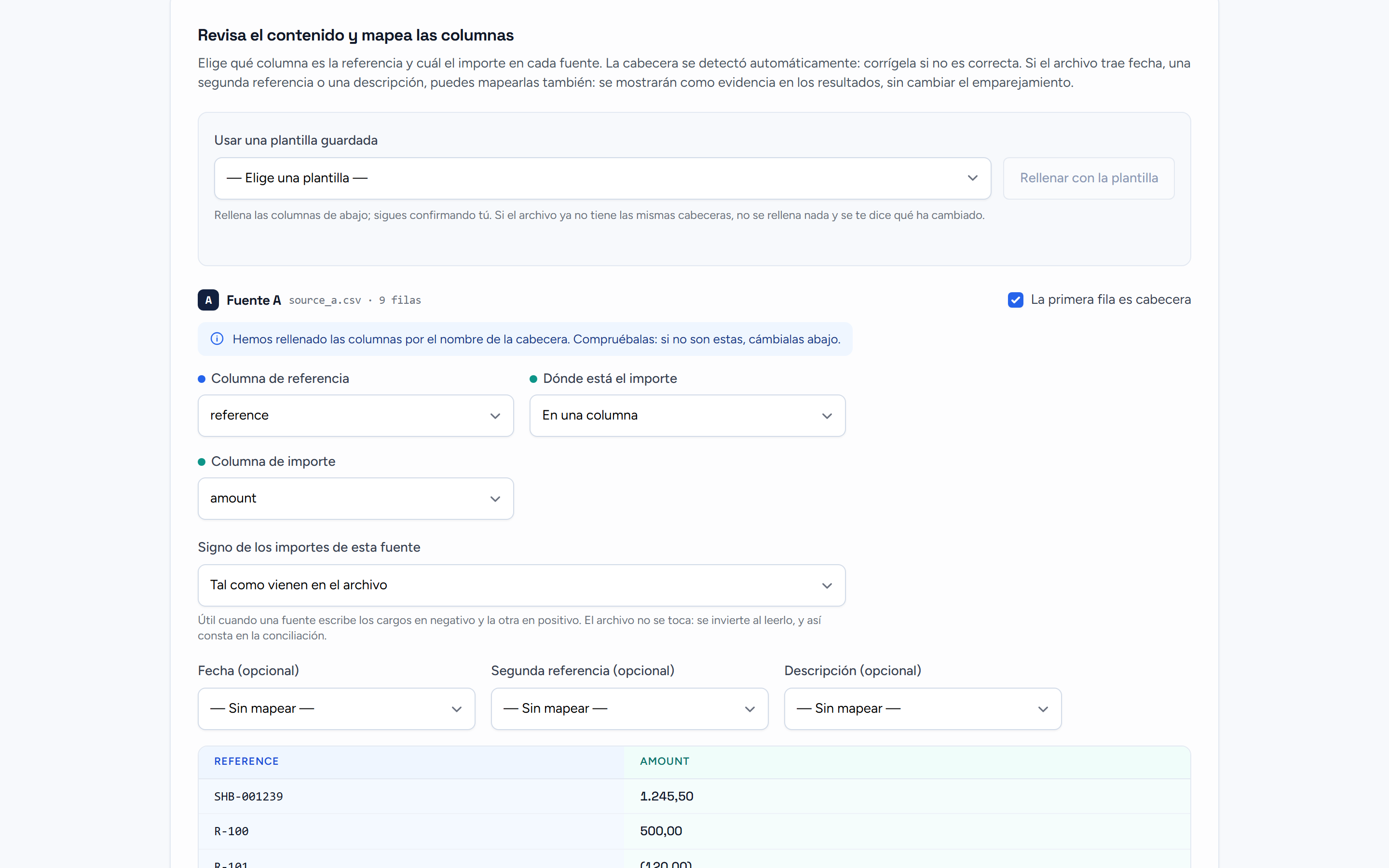
Map the columns
You say which column is the reference, which the amount and which the date. Cuadra suggests a mapping and you confirm it. It can be saved as a template.
Process and compare
Matching runs in the background. You can follow the progress and cancel it.
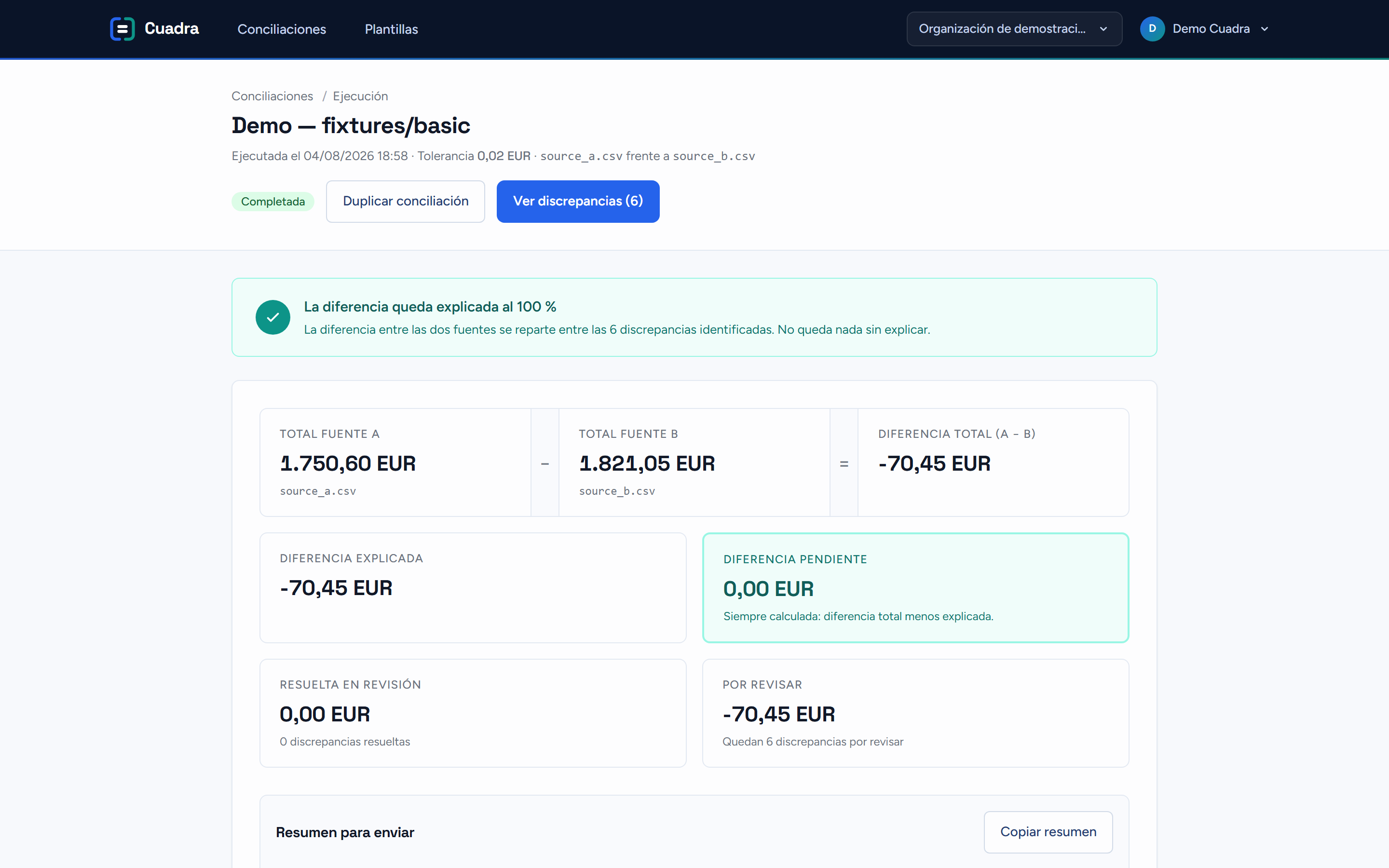
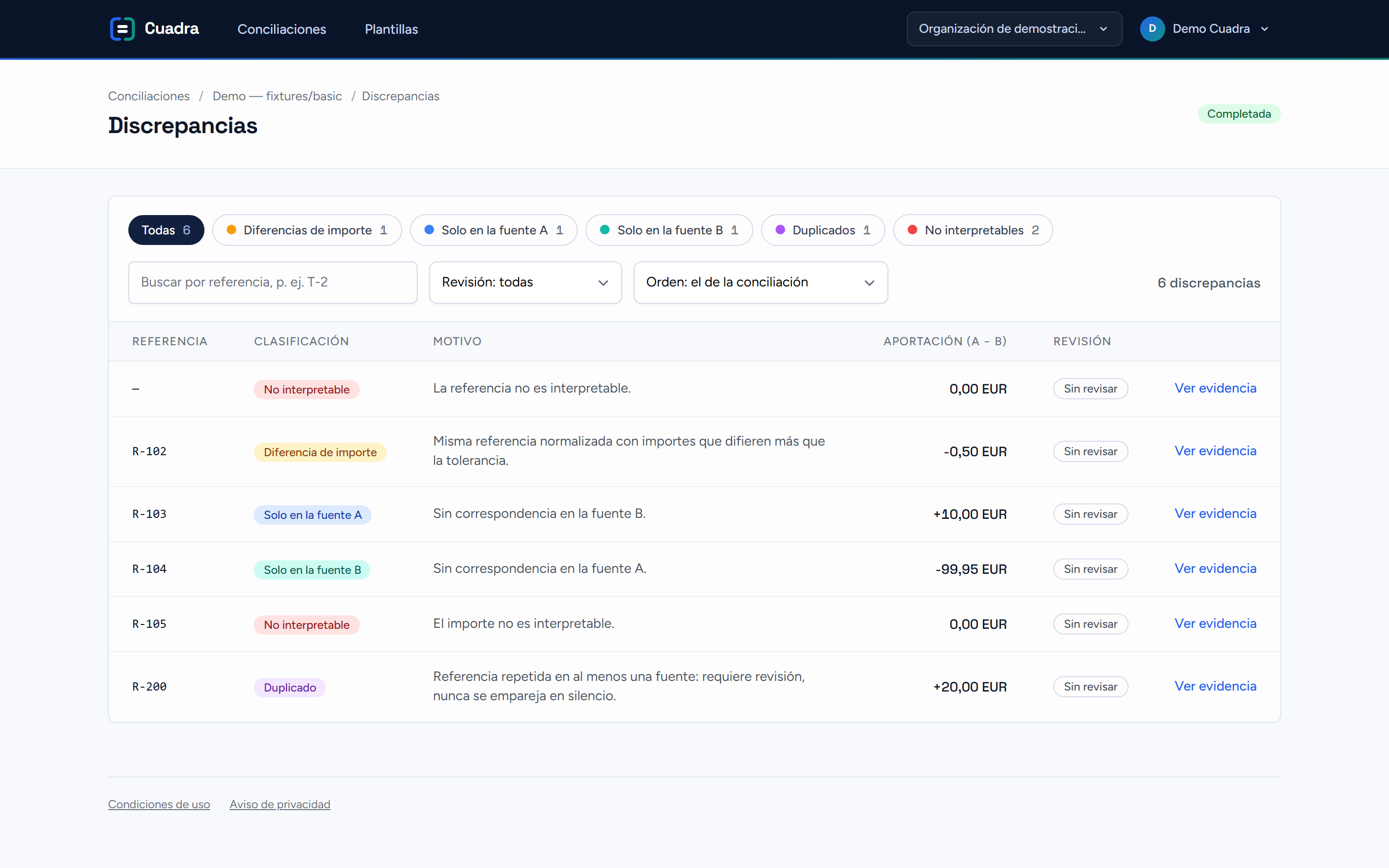
Review matches and discrepancies
A summary with the total difference and its explanation, plus separate lists: only in A, only in B, different amount, duplicates and invalid rows. Each discrepancy can be reviewed, annotated or paired by hand.
Export
Summary and discrepancies as CSV, ready to share with whoever has to close the month.
 Enlarge the screenshot
 Enlarge the screenshot
 Enlarge the screenshot
From the idea to the application online
I took care of the whole journey: architecture, interface, automated tests, continuous integration, deployment and the demo environment. Some decisions that define the product:
- Amounts with exact decimals.Nothing goes through floating-point numbers, so 0.10 + 0.20 always gives 0.30.
- Exact, deterministic matching.No guessing. With the same files and the same mapping, the result is always the same and can be explained.
- Background processing.Large files don't block the screen. You see the progress and can cancel.
- Data separated by organisation.Each organisation sees only its own. Reconciliations expire after 30 days.
- Automated tests and deployment.Every change passes a test suite before being published.
- Care with other people's files.Excel dates, inverted signs, debit/credit columns and exports protected against injected formulas.
What you can expect from me
- Turning a manual, confusing process into an application anyone can use.
- Taking care of the whole cycle, not just the visible part.
- Handling sensitive data and edge cases with care.
| Backend | PHP 8.3, Laravel 12 |
|---|---|
| Interface | Livewire 3, Blade, Tailwind CSS |
| Data | PostgreSQL 16, Redis for queues, cache and sessions |
| Tests | Pest (unit, integration and concurrency), Playwright |
| Delivery | GitHub Actions with automatic deployment to a VPS via Laravel Forge |
| Files | CSV and XLSX with a custom reader, storage in the EU |
- Test application, free and with sample data.
- It doesn't accept real data and isn't intended, today, as a commercial product.
- I don't publish savings figures because I haven't measured them.
Do you have two sources that should match and don't?
Or any other task that's still done by hand. Tell me about it and I'll say whether it can be automated.
Tell me about your case